Brush Library › Lightning Brushes
Lightning that branches on its own
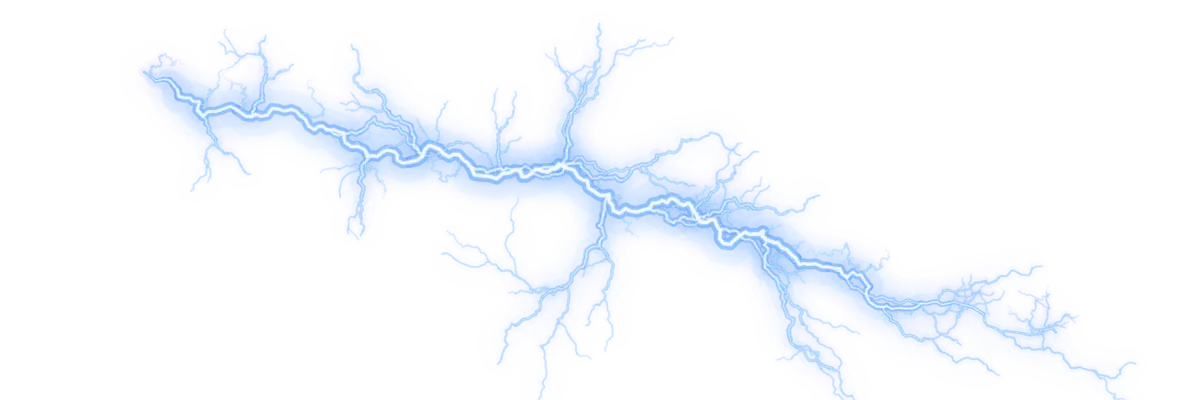
A good lightning bolt has a bright core, a soft glow and dozens of tiny forks. Draw the path of the strike and Bristle Canvas builds all of that around your line.
Build this brush for ProcreateOpens Bristle Studio in your browser with this brush already described.
Brushes in this set
- Lightning StrikeA full bolt with glow and deep branches
- Storm BoltA rougher bolt with lots of crackle
- Electric LineA cleaner, steadier electric line
- Static CrackleThin, jittery static
- Zap LineA small, quick zap
- Electric ArcAn arc of electricity along the line
- Plasma RopeTwisted plasma along your stroke
- Crackle LineA crackling line of energy
- Forked LightningA forked bolt in one stamp
- Electric SparksSparks scattered along the line
- Plasma OrbA glowing ball of plasma
- Cartoon BoltA flat comic-style bolt
Why it looks like real lightning
The brushes in the Lightning set turn your whole stroke into a strike. Your path becomes the channel, kinked at every scale, with branches that branch again, hair-thin crackle filaments and a glow around it all. The part you have already drawn stays put while the Pencil keeps moving, so the bolt doesn't jump around under your hand.
For comics and stickers, the Electric & Lightning set and the Stickers set add flat electric shapes: Electric Arc, Plasma Rope, Forked Lightning, Sky Lightning, Spark Burst, Electric Ring and Zap Marks.
How to draw lightning
- Open the brush library and tap the Lightning chip.
- Draw one quick stroke from the sky down. A slight zigzag in your hand is fine, the brush adds the jagged detail.
- Your brush color tints the glow: pale blue for a storm, violet for magic, pink or green for a sci-fi look.
- In Brush Studio, change Glow, Core Thickness, Jaggedness, Branches, Branch Depth, Crackle Filaments and Extra Strands. Tap New Bolt for a new shape on the same path.
Paint lightning on a dark background and on its own layer. Then paint the storm around it with the Thunderstorm brush from the cloud brushes, which hides flashes inside the cloud.
Make your own lightning brush
Type the bolt you want into the Brush Designer:
- “purple magic lightning with lots of thin branches”
- “red electric crackle around a fist”
- “thick yellow cartoon lightning bolt”
Questions
Is there a lightning brush for Procreate?
Bristle Canvas has lightning brushes built in, free on iPad. Each bolt is generated along your stroke and branches on its own, so the brushes run inside Bristle Canvas and can't be exported to Procreate. Bristle Canvas can open your Procreate brushes, though.
How do I draw lightning on iPad?
Pick Lightning Strike, draw one stroke from the sky down, and the bolt branches along it. Tap New Bolt in Brush Studio if you want a different shape on the same line.
Can I change the color of the lightning?
Yes. The glow follows your brush color, so pick any color before you draw.
Are the lightning brushes free?
Yes, they are part of the free painting tools.