Brush Library › Neon Brushes
Neon brushes that glow on any background
Neon is a bright core inside a soft halo of light. The neon brushes in Bristle Canvas draw both at once, and the Glow effect turns almost any brush into a neon version of itself.
Build this brush for ProcreateOpens Bristle Studio in your browser with this brush already described.
Brushes in this set
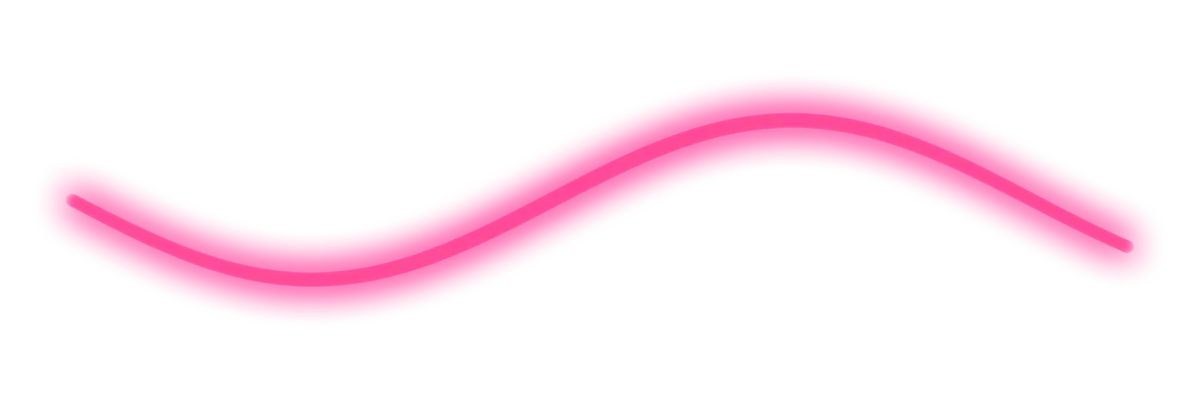
- Neon TubeA glowing tube line with a hot pink halo
- Neon HeartA neon heart sign in your brush color
- Neon StarA neon star sign
- Neon BoltA neon lightning bolt
- Neon SmileyA glowing smiley face
- Neon CrownA neon crown
- Magic FlamesFlames with a neon glow
- Breathing NeonA Living line whose glow keeps pulsing
- Dreamy Soft FocusA soft, hazy glow around the line
Glow is an effect, so any brush can have it
Neon Tube in the FX Lab set is a ready-made neon line: your brush color is the tube, the halo is a hot pink glow. The Fire & Neon set adds neon signs as stamps (Neon Heart, Neon Star, Neon Bolt, Neon Smiley and Neon Crown), which take your brush color.
The real trick is in Brush Studio: the Effects section has Glow and an Effect Color. Turn up Glow on a pencil, a marker or a sticker brush and it becomes neon, with any halo color you like.
How to draw neon
- Start on a dark background: in the Layers panel, tap Background Color and pick a deep navy or black.
- Choose Neon Tube, or your favorite brush with Glow turned up.
- For the most realistic neon, paint the tube in a very light tint (almost white) and set the Effect Color to the strong color.
- Writing a word? Turn up Smoothing under Stabilization for clean, even letters, and keep the gaps where a real tube would bend behind the sign.
- Put the neon on its own layer and try the Screen blend mode to brighten it.
Neon that moves
Breathing Neon is a free Living brush: after you draw, its glow keeps pulsing, and you can export the artwork as a looping video. The flickering Neon Sign is part of Living Pro, which needs Premium.
Make your own neon brush
Describe the sign in the Brush Designer:
- “flickering pink neon sign”
- “ice blue neon tube with a white core”
- “pink neon marker with gold glitter”
Questions
How do I make a neon effect on iPad?
In Bristle Canvas, pick Neon Tube, or open Brush Studio on any brush and turn up Glow in the Effects section. Paint on a dark background for the strongest effect.
Is there a neon brush for Procreate?
Bristle Canvas has neon brushes and a Glow effect built in, free on iPad. They use Bristle's own effects, so they stay in Bristle Canvas, but you can import your Procreate brushes and add Glow to them too.
Can neon flicker in a video?
Yes, with Living brushes. Breathing Neon is free and pulses; the flickering Neon Sign needs Premium.
Are the neon brushes free?
Yes. Neon Tube, the neon signs and the Glow effect are free.