Bristle Canvas / Oil and watercolor on iPad
Oil and watercolor that behave like paint.
Bristle Canvas has its own paint engine. Colors mix where they meet, thick strokes build up a relief that catches the light, and paper grain shows through your washes.
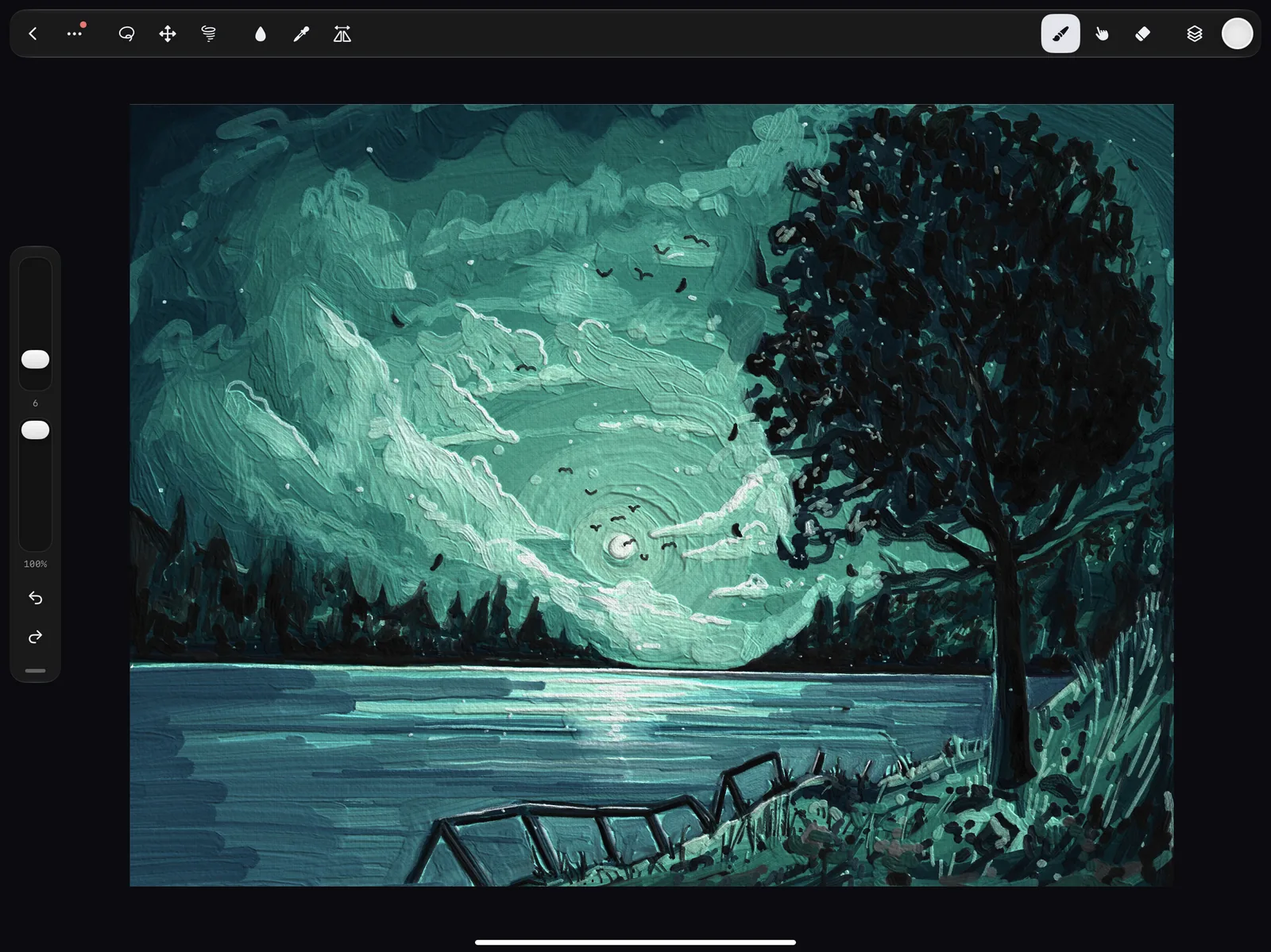
Oil that mixes on the canvas
Oil paint in Bristle Canvas stays wet while you work. When you paint into a wet stroke, the colors mix right there, like on a real canvas. Thick paint builds up a relief with highlights and shadows.
- Wet paint that mixes where colors meet
- Paint thickness as a lit relief that catches the light
- Palette knife to push and scrape thick paint
- Smudging drags the relief along
Watercolor with glazes, edges and blooms
Watercolor in Bristle Canvas keeps flowing for a moment after you lift the Pencil, then dries. Washes get darker edges as they dry, water spreads into blooms, and pigment settles into the paper grain.
- Transparent glazes that layer like real watercolor
- Darker drying edges and blooms
- Wet in wet: washes that bleed softly into each other
- Paper grain that shows through
Dry media that react to the Pencil
Pencil, charcoal and soft pastel react to pressure and tilt. Tilt the Apple Pencil for broad shading, press harder for darker lines.
Free to paint
Oil, palette knife, watercolor and wet in wet are part of the free painting tools. Bristle Canvas runs on iPad with iPadOS 18 or later and works with every Apple Pencil, or with your finger.
Questions
Can you paint with oil on iPad?
Yes. In Bristle Canvas oil paint stays wet, mixes where colors meet and builds up a relief that catches the light.
Does Bristle Canvas have real watercolor?
Yes. Watercolor washes flow for a moment, then dry with darker edges, blooms and paper grain. Wet in wet makes washes bleed into each other.
Are oil and watercolor free?
Yes. They are part of the free painting tools.