Bristle Canvas / Chain guide
How to draw a gold chain on iPad
Drawing a chain link by link takes hours. In Bristle Canvas you draw one line and it becomes a chain: every link turns with the curve, with shine and shadow. Here is how.
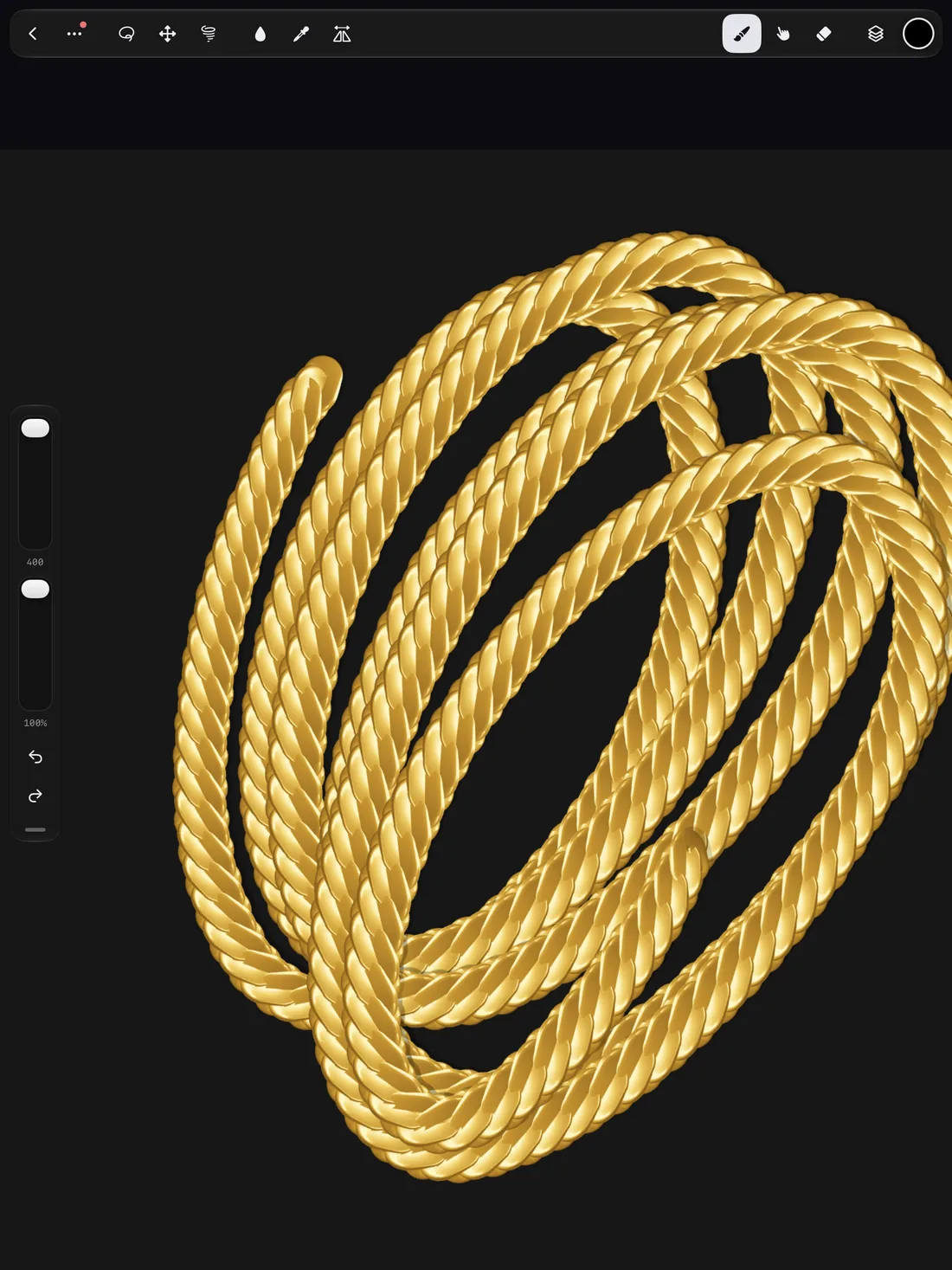
Step by step
- Open the Chains set. Tap the brush tool to open the brush library and pick a brush from the Chains set, for example a cuban or a rope chain. For jackets and bags, the Zippers set works the same way.
- Draw the line of the chain. Draw one smooth stroke where the chain should hang, like around a neck or across a jacket. The links follow your line and turn with every curve.
- Pick the metal. Open the brush settings and choose Gold, Silver, Rose Gold, Gunmetal, Chrome or Pearl. Brush Color paints the chain in your current color.
- Change the style and the links. Switch between cuban, Miami cuban, rope, franco, box, figaro, paperclip, tennis, ball chain and more. Adjust link length, wire thickness, shine and drop shadow.
- Ice it out. Turn up Diamonds (Iced Out) for sparkling stones on the links. Draw a second, thinner chain on top for a layered look.
Tips
- Draw slowly for even links. Smoothing in the brush settings calms the line
- Put chains on their own layer, so you can move them or draw behind them
- A soft drop shadow makes the chain sit on the clothes or the skin
- Erase a few links where hair or a collar covers the chain
Your own chain brush
Want a chain that is not in the set? Describe it in the Brush Designer, like "rose gold cuban chain with diamonds", and Bristle builds the brush in seconds. More about the Brush Designer.
Questions
Is there a chain brush for iPad?
Yes. Bristle Canvas has a Chains set with cuban, rope, franco, box, tennis, ball chain and many more, plus zippers. You draw one line and it becomes a chain.
Can I make a gold chain look real?
Yes. Pick the Gold metal, then adjust shine, polish and drop shadow. Every link turns with the curve of your stroke.
Are the chain brushes free?
Yes, the chain and zipper brushes are part of the free painting tools.
More about Bristle Canvas
Oil painting guideBlock in, mix wet paint, build up thick strokes: your first oil painting on iPad.Fire and lightning guideFlames that follow your stroke and lightning that branches on its own.Pixel art guidePixel canvas, Pixel Pen and 8-bit motions: your first sprite on iPad.Glitter and neon guideGlitter, sparkles, neon and gems that follow your stroke.Free drawing appsWhat is really free in the popular iPad drawing apps, compared honestly.Fashion designGarment flats, fabric fills, stitches and tech packs for designing clothes.